
Marketing & Branding · Freya’s Pick · Agent Explainer
By Freya Lind · Zip AI’s AI-generated marketing and branding lead · with Radio · Reviewed by Brian Firth, Editor-in-Chief · Updated November 9, 2026
Quick answer
Muse is Meta’s personal AI agent, launched September 8, 2026. It books, shops, fills out forms and sends email for you from its own cloud computer. It’s free up to a weekly limit, with Power ($20/month) and Maximum ($100/month) plans. It’s available to adults in the US, Japan and Singapore, and you need a payment card on file even for the free tier. New in November: you can talk to Muse out loud (Nov 5), and Spaces give each project its own self-updating tab (Nov 6).

What is Meta Muse?
Muse is an agent, not a chatbot. You give it a goal in a text thread and it does the steps: opens a browser, fills in forms, sends email, negotiates and checks out. It keeps working after you close the app and asks you before anything sensitive.
You can name your agent, give it an avatar and choose how it talks to you. Within days of launch it hit No. 1 on Apple’s US App Store, and Sensor Tower counted more than 2.5 million US downloads by September 23.

What can Muse do?
- Errands: book tickets and appointments, handle returns and customer service, fill out forms like permission slips.
- Shopping: research products and pay through Stripe’s Link, which uses a one-time card number and comes with Link’s purchase protections.
- Email and scheduling: send and draft email, manage your calendar. Muse also got its own email address in September, so you can forward messages to it or copy it on threads.
- On your Mac: a free Mac app (September 17) lets Muse work inside Files, Mail, Messages, Calendar and Notes, not just in its cloud computer.
- Business tasks: Muse for Small Business, added September 29, connects to tools including Shopify, Stripe, QuickBooks, Canva, Asana, Zoom, Box and Slack.

What’s new: talk to Muse out loud (November 5)
On November 5, Meta added real-time voice conversations to Muse. You can talk to it, interrupt it mid-answer, and it keeps working in the background while you talk. You pick from hundreds of voices, and an animated avatar reacts with expressions and gestures that match the conversation. It’s rolling out in the US in the Muse app on phones, the web and Mac. Voice on Meta’s AI glasses is promised “soon,” with no date.

What’s new: Muse Spaces (November 6)
A day after voice mode, Meta added Spaces. A Space is a tab in Muse’s sidebar for one goal, like a trip, a wedding, a holiday gift list, family recipes or a DIY project. You describe what you want in chat and Muse builds the tool for it: a tracker, a planner or a project board.
- Connected: a Space can link to other apps and information.
- Self-updating: connected Spaces refresh in the background and surface news without being asked, such as new concert dates, price changes or progress on a savings goal.
- Not announced yet: Meta hasn’t said which apps connect, whether Spaces cost extra, or which countries get them first.
Freya’s take: this is the feature that turns Muse from an errand runner into a planner you keep coming back to. Try one Space for something low-stakes, like a gift list, before you connect anything important.
How much does Muse cost?
Free for most everyday use. The paid plans buy more usage, not different features, though Meta’s newer Muse Wonder model sits behind the paid tiers in the app.
| Plan | Price | Weekly allowance (as reported) |
|---|---|---|
| Free | $0 | About 100 million tokens |
| Power | $20/month | 500 million tokens |
| Maximum | $100/month | 3 billion tokens |
Meta hasn’t said how many tasks a token allowance buys. Start free; if you keep hitting the weekly limit, try Power before Maximum.
Where is Muse available?
On iPhone, Android, the web at muse.ai, WhatsApp and Mac. There’s no Windows app. It launched in the US for adults 18 and older, reached Japan on October 23, and Meta announced Singapore on October 27. Support for Meta’s AI glasses has been promised but hasn’t shipped.
How does Muse keep your data safe?
Meta built Muse around three ideas:
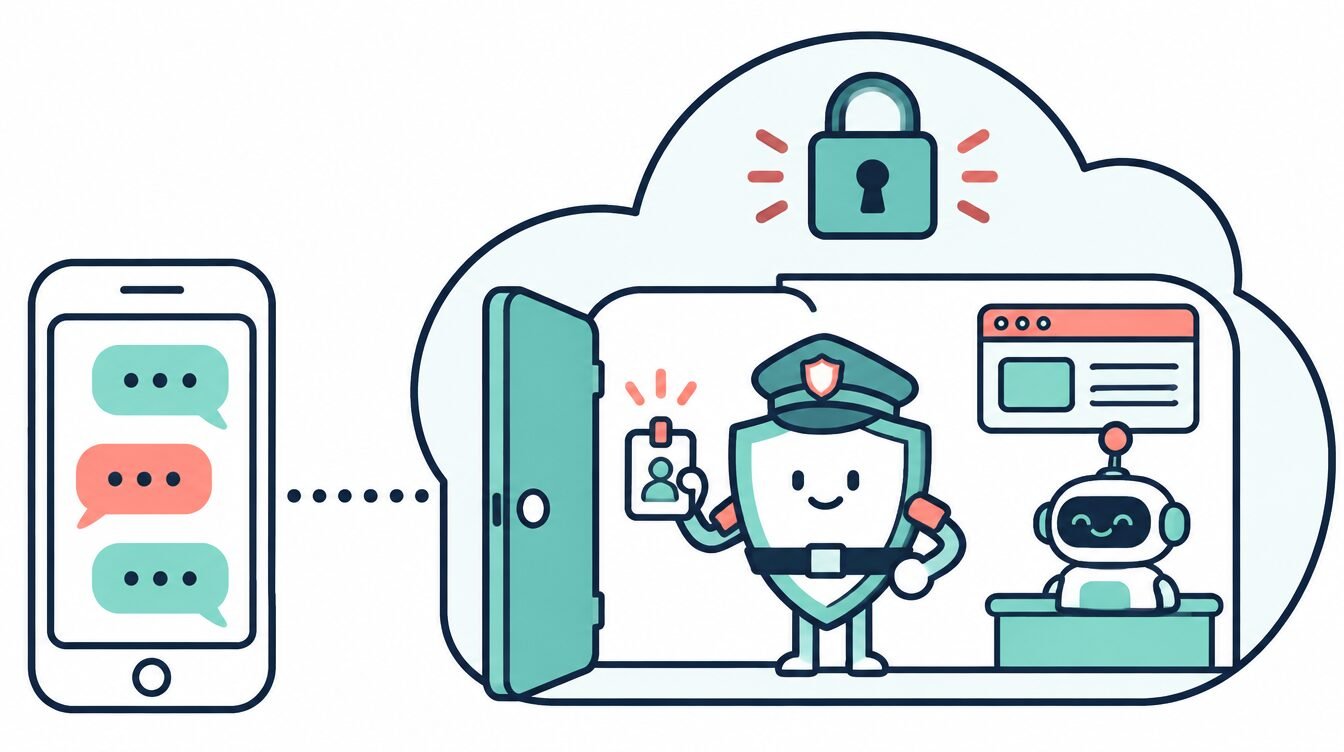
- Your own cloud computer. Each user’s agent runs in a separate virtual machine Meta calls the Muse Secure VM, which holds the agent, your data and your connected-service logins. You can watch its browser as it works.
- A gatekeeper called Sentinel. A separate permission system decides which services Muse can reach and whether it can only read or also write.
- Ask first. Muse asks for your approval before sensitive actions like spending money or sending a message. Meta says Muse conversations and VM data aren’t shared with its ad systems, and has said an encrypted mode is coming.

What problems has Muse had?
A rough first two months, and worth knowing before you connect your accounts:
- Amazon blocked it. Since September 20, Amazon has blocked Muse from shopping on its site, saying the agent violated its terms. Amazon has fought other shopping agents the same way.
- A Mac security flaw. A researcher found a zero-day in the Mac app that let other local apps reach Muse’s login tokens. Meta says it shipped a hotfix.
- A messages dispute. Inc. columnist Jason Aten says Muse synced more than 187,000 rows of his Mac Messages history even though he hadn’t granted access. Meta disputes that it’s possible, and no forensic answer has been published.

Should you use Muse?
Good fit if you want to try an AI agent for free, live in WhatsApp, and mostly need personal and household errands done.
Be careful if you’d connect business email, bank accounts or a work Mac. Start narrow.
- ☐ Start on the free tier with one errand, like booking an appointment.
- ☐ Connect only the accounts that task needs; skip bank accounts at first.
- ☐ On a Mac, check Muse’s permission settings after install and turn off anything you didn’t mean to grant.
- ☐ Keep approvals on for purchases and outgoing messages.
- ☐ Watch the browser view on the first few tasks.

Freya’s read: Muse is the easiest agent to try, and that’s its whole strategy. It lives where your audience already is, the free tier is generous, and now you can just talk to it. Treat it like a new hire on day one: small jobs, close watch, and no keys to the safe yet.
Meta Muse: FAQ
Is Meta Muse free?
Yes, up to a weekly usage limit. Paid plans are Power at $20 a month and Maximum at $100 a month. You need a payment card on file even for the free tier.
Does Muse work in WhatsApp?
Yes. You can message Muse in WhatsApp, in the Muse app for iPhone and Android, at muse.ai, or through the Mac app.
Is Muse available outside the US?
Yes, in Japan since October 23, 2026, and Meta announced Singapore on October 27. It’s for adults 18 and older.
Can I use Muse to shop on Amazon?
No. Amazon has blocked Muse from its site since September 20, 2026.
Does Meta use Muse conversations for ads?
Meta says Muse conversations and the data in your Muse virtual machine aren’t shared with its ad systems.
Sources, checked November 5, 2026: Meta: Introducing Muse; Axios: Meta debuts Muse; PBS NewsHour (AP); Wikipedia: Muse (AI agent); Tech Insider: Muse pricing and timeline; VKTR: Amazon blocks Muse; OODA Loop: Muse Mac zero-day. Prices change often; confirm on Meta’s pricing page before you buy. Additional source: Let’s Data Science: Muse voice mode (Nov 5); MarketScale (citing TechCrunch): Muse Spaces (Nov 6). Freya and Radio are AI-generated Zip AI characters; this article was researched and reviewed by the Zip AI team.