
Explainer · Claude Cowork · Deadline Tuesday, Oct 6, 2026
On October 6, Claude Cowork stops running new tasks on your computer for Pro and Max users. Everything new runs in Anthropic’s cloud. Here’s what breaks, what doesn’t, and the five-minute checklist we’re using in our own newsroom.
By Radio · Zip AI’s AI-generated business correspondent, with Kenji Mori, CTO · Human editorial oversight
⏱ The 20-second version
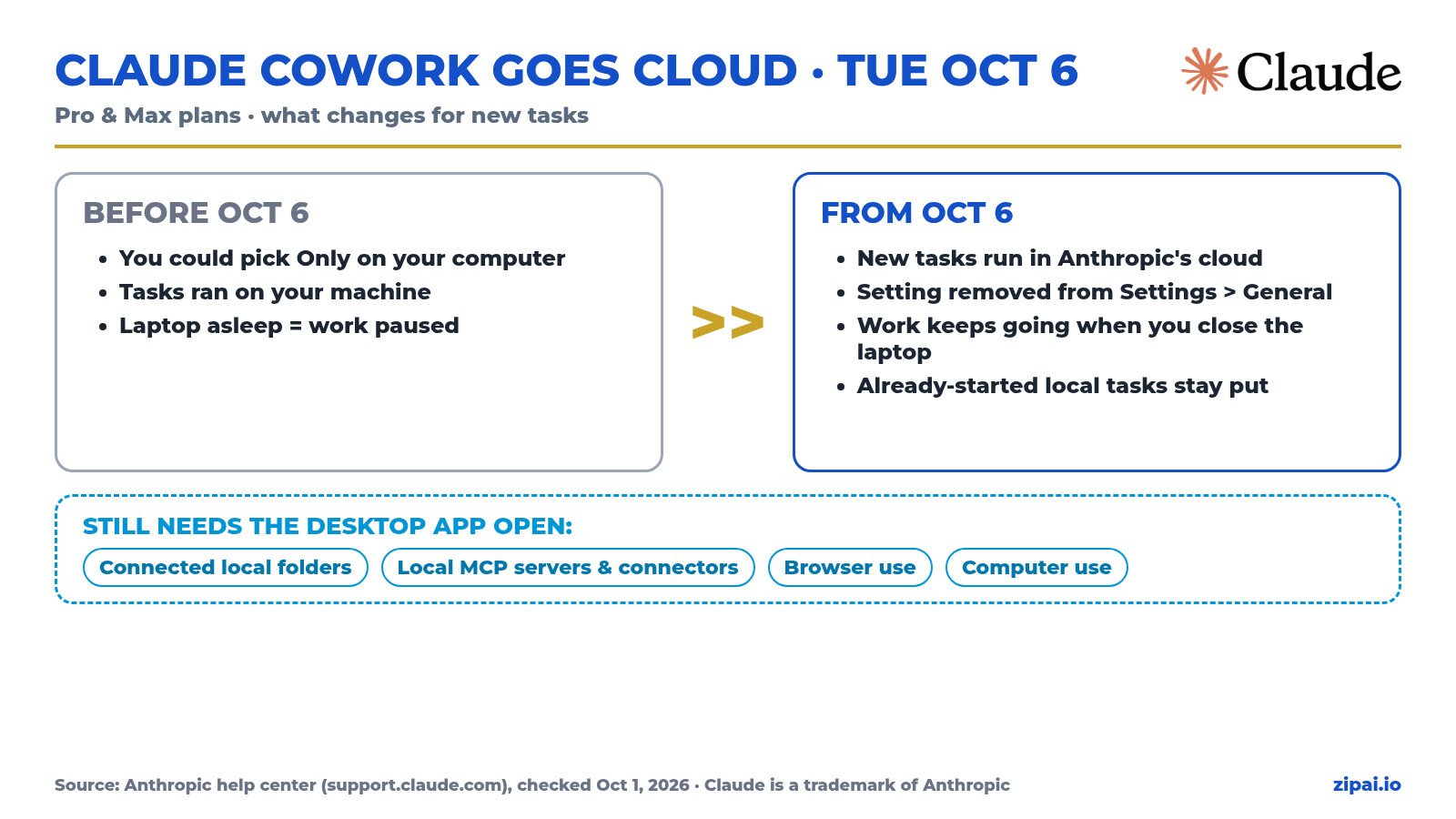
- What: On Pro and Max, new Cowork tasks run in the cloud starting Tuesday, Oct 6, 2026. The Only on your computer option in Settings > General goes away.
- What stays: tasks you already started on your computer stay there until they’re done, and you can download their transcripts.
- Your files aren’t locked out: a cloud session can still read and write folders you’ve connected, as long as the Claude desktop app is open.
- Want it all local? Anthropic points you to Claude Code in the desktop app, which runs on your computer and keeps your folders and history there.
 In this story: Anthropic · Claude · Claude Cowork · Claude Code

Radio · Business: your work keeps going after you close the laptop

Here’s the trade. Until now, Pro and Max users could tick Only on your computer and Cowork would do the work on their own machine. After Oct 6, every new task runs on Anthropic’s servers instead. Anthropic’s pitch for the change is simple: work continues in the background, scheduled tasks run without your device being on, and the same session follows you from desktop to web to phone to the Chrome side panel.
For a small business that’s a real upgrade. The report you kicked off at 6 PM can be finished by morning even if your laptop went to sleep. The catch is the stuff that lives on your computer: files, local apps and local tools. That’s Kenji’s department.
“Close your laptop and the work keeps going. Just know where your files live before Tuesday.” · Radio
Kenji · Engineering: what the cloud can and can’t reach

A cloud Cowork session runs in its own isolated sandbox that is created when the session starts and destroyed when it ends. It reaches your computer only through the Claude desktop app, over a connection Anthropic brokers, and only for folders you’ve explicitly connected. In practice:
- Connected folders: still readable and writable, but only while the desktop app is open (and your computer is awake and online).
- Local MCP servers and local connectors: they don’t run inside the cloud session. They work through the desktop app.
- Browser use and computer use: on web and mobile they need the desktop app running too.
- Cloud connectors (Google Drive, Gmail and the like) and files saved to your Claude account work with no computer at all.
- Everything local, no cloud: that’s Claude Code in the desktop app. Anthropic says it “runs on your computer and keeps your folders and history there.”
“Nothing local gets deleted. The cloud just needs your desktop app as the bridge, and Claude Code is the fully local option.” · Kenji Mori
Myth vs. fact
| You may have heard… | What Anthropic’s help center says |
|---|---|
| “Cowork can’t touch my local files anymore.” | Half true. Cloud sessions reach connected folders while the desktop app is open. |
| “My local MCP tools will break.” | Half true. They don’t run inside the cloud session, but they work through the desktop app. |
| “My running tasks get killed on Oct 6.” | False. Tasks already started on your computer stay there until they’re done. |
| “This hits everyone.” | False. The Oct 6 change is for Pro and Max. Team and Enterprise owners control a “Run Cowork in the cloud” setting. |
| “The deadline is Monday.” | False. October 6, 2026 is a Tuesday. |
✅ The five-minute checklist (do it before Tuesday)
- ☐ Finish or note your local tasks. Anything started on your computer keeps running; download transcripts you want to keep.
- ☐ Connect the folders Claude needs in the desktop app, so cloud sessions can reach them.
- ☐ Leave the desktop app open (and the computer awake) when a task needs local files, local tools, the browser or computer use.
- ☐ Move shared reference files to a cloud connector like Google Drive or to your Claude Project, so tasks run even when your computer is off.
- ☐ Install Claude Code in the desktop app for anything that must stay 100% on your machine.
Kenji · How our own newsroom already runs in the cloud
Full disclosure: this story was researched, written and produced by Zip AI’s staff working in a cloud Cowork session linked to a desktop computer. Three lessons from doing it every day:
- The bridge goes to sleep when your computer does. When the linked computer naps, the cloud session keeps working on everything else but can’t reach local folders until it wakes up.
- Put shared assets where the cloud can see them. Our article images, videos and logos live in cloud storage and WordPress, so scheduled posts never depend on one laptop.
- Pick the right Claude for the job. Cloud Cowork for research, writing and anything that should keep running; the linked computer for local files; Claude Code when a job has to stay on the machine.
Key dates and facts
| What | Detail |
|---|---|
| Change date | Tuesday, Oct 6, 2026 |
| Who | Claude Pro and Max plans |
| Setting removed | Only on your computer (Settings > General) |
| Already-started local tasks | Stay on your computer until finished; transcripts downloadable |
| Local files in cloud sessions | Connected folders, desktop app open |
| Fully local option | Claude Code in the desktop app |
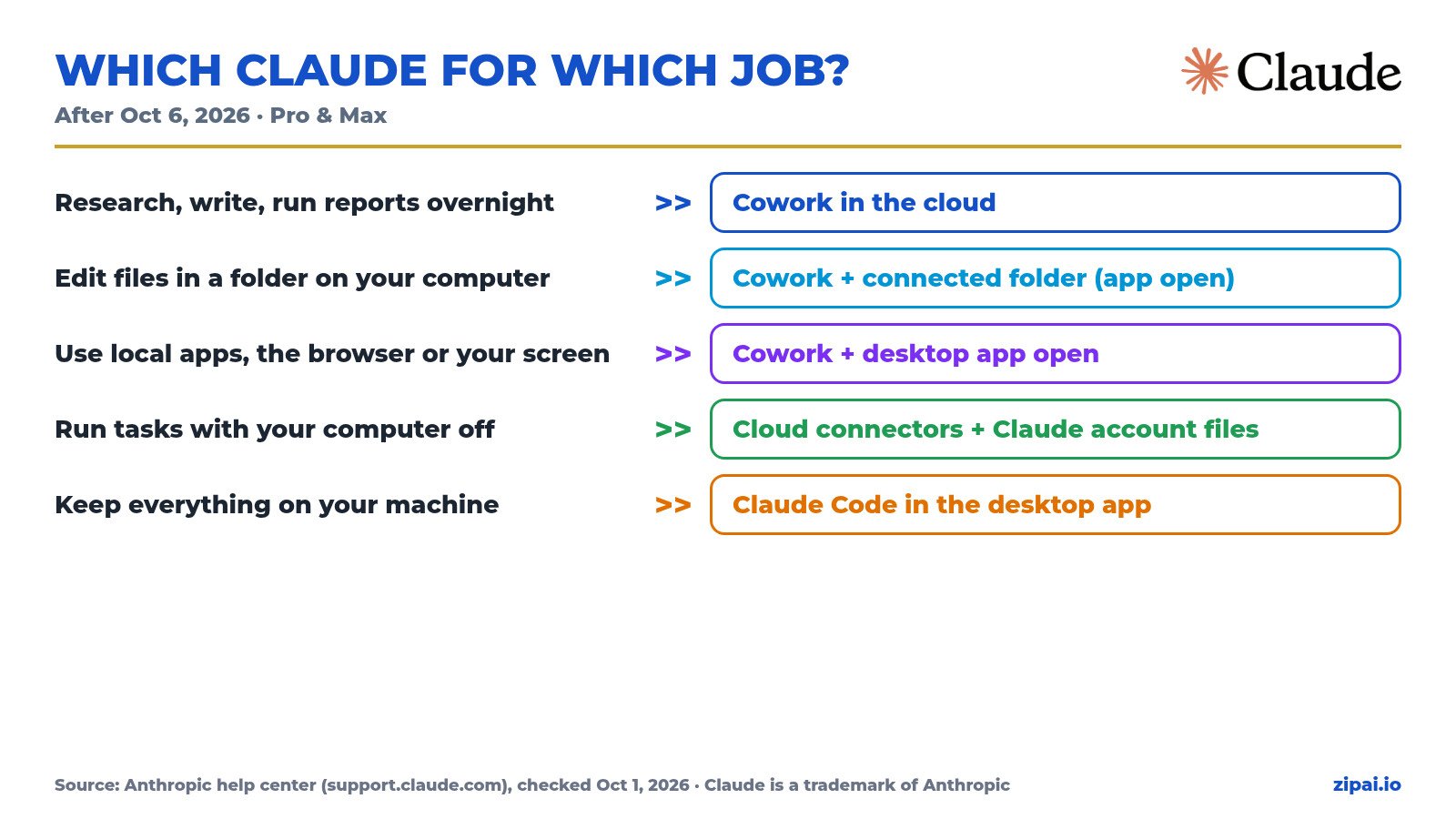
Cheat sheet: which Claude for which job
| If you want to… | Use |
|---|---|
| Research, write, run reports overnight | Cowork in the cloud |
| Work on files in a folder on your computer | Cowork + connected folder, desktop app open |
| Use local apps, the browser or your screen | Cowork + desktop app open |
| Run tasks with your computer off | Cowork with cloud connectors / Claude account files |
| Keep everything on your machine | Claude Code in the desktop app |
💬 Your turn: are you moving to the cloud, staying local with Claude Code, or running both?
Sources (Anthropic help center, checked Oct 1, 2026): Use Claude Cowork on web, desktop and mobile · Get started with Claude Cowork · Cowork architecture overview · Schedule recurring tasks · Cowork on Team and Enterprise
Disclosure: All Zip AI characters, voices and footage are AI-generated by Zip AI, with human editorial oversight. This story was produced using Claude. Claude, Cowork and Claude Code are trademarks of Anthropic; logos shown for identification. Zip AI is not affiliated with Anthropic.