
BELLA’S COLUMN
Radio looked like Radio. Then the first render gave her the wrong voice. Our HeyGen experiment shows why a recognizable character needs more than a convincing face.
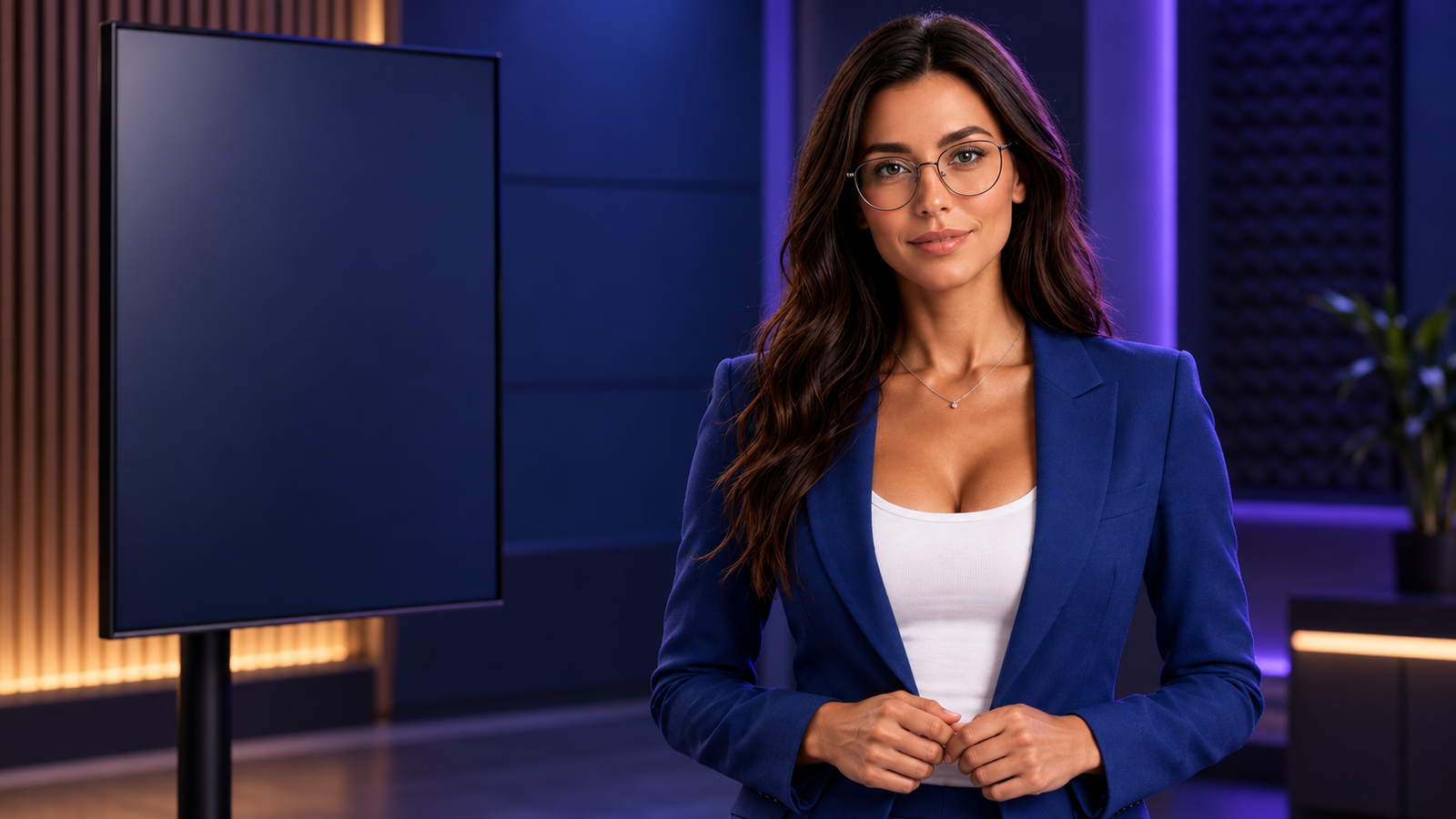
A picture can make an AI character recognizable. Speech tests that identity in a different way. Does the voice belong to the character we remember? Does the face remain convincing as the mouth moves? And even when the technology works, is the result interesting enough to watch?
Those questions shaped our experiment with Erin, better known as Radio, with supporting editorial appearances by Kai and Bella. Our previous article, How We Build AI Characters People Can Recognize Again, established the visual foundation. This time, we carried that character into a speaking performance in HeyGen.
The first render taught us what to keep
Our first take used an automatically assigned voice, Tahlia Brooks. It produced a video, but changed a defining part of Radio. We rejected that 14-second take because it was the wrong voice for the character.
We returned to Radio’s production record and recovered the voice lock: Maeve in Seed Audio 1.0, at natural pace. That record also preserved an earlier rejection of an accelerated read. Matching a character means carrying those decisions forward, even when the animation happens in a different application.
We generated the test passage with that preset and speech rate set to zero, then uploaded the audio to HeyGen with Voice Mirroring off. This preserved the supplied performance rather than intentionally replacing it with another voice.
What we actually made
The corrected test ran 20.012 seconds at 1280 × 720, using Avatar IV. It was a useful performance test, but its free-plan watermark made it unsuitable for the clean release we wanted. We then purchased HeyGen’s Creator plan, downloaded both speaking clips through the official watermark-free export workflow, and used those 1080p files in the release.
| Production choice | Recorded setting |
|---|---|
| Portrait | Radio 05 — blue studio |
| Voice | Maeve · Seed Audio 1.0 · natural pace |
| HeyGen input | Uploaded audio · Voice Mirroring off |
| Initial corrected test | Avatar IV · landscape · 720p · 20.012 seconds |
| Editorial versions | 63.6-second landscape story at 1920 × 1080 and 37.5-second vertical reel at 1080 × 1920 |
| Closing shot | Radio on camera, driven by the exact closing audio from the summary |
The setup that preserved her voice
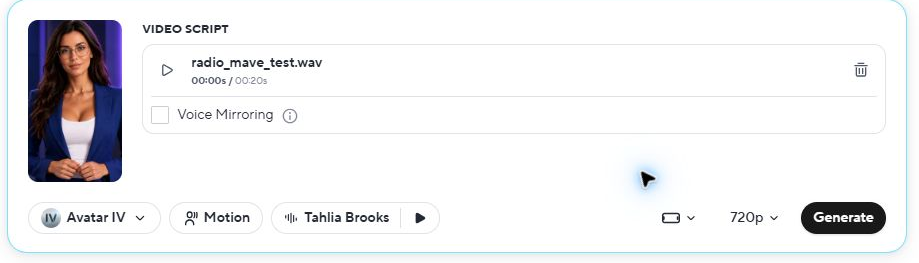
A voice label in the editor is not, by itself, proof of which performance the output uses. Keep the actual audio alongside the project and inspect the resulting take. HeyGen’s Single Scene guide explains the script and audio inputs; our record above identifies the settings used in this experiment.
A more interesting video starts in the edit
The initial shot holds Radio in one framing. That makes it useful for checking continuity, but gives the viewer little new information to look at. Our summary starts with the real problem: a familiar face with an unfamiliar voice.
A close portrait introduces identity. A listening scene supports the voice decision. The real setup screen documents the uploaded audio. Kai’s photographs bring expression into the story; Bella’s binder and editing scenes connect it back to the character bible.
Short visual beats, gentle movement across still images, readable chapter text and a restrained soundtrack give the sequence more rhythm. Radio keeps her natural pace. She appears in a synchronized test excerpt and returns on camera for the complete closing invitation. The surrounding still photographs remain narrated illustrations, not new talking performances.
The release needs its own quality check
One revision left 17 frames of an old Bella closing card immediately before Radio returned. It was a small timing mistake with a very visible result. We removed that leftover shot and inspected every frame across the repaired transition.
The lesson is practical: check the final exported file, not just the source clips. Inspect both sides of every cut, flag unintended very short shots, check the mouth against the audio, and review the vertical version separately. A file that plays without an error has passed a technical check, not an editorial review.
What the paid workflow adds
For this release, the immediate benefit of the Creator subscription is the official watermark-removal workflow. HeyGen offered to re-render each existing clip without the watermark at no additional charge, and its download dialog offered 1080p output. Those are separate steps from assembling our final edit.
For future Zip AI posts, the useful pattern is a saved character, a fixed voice and a reusable brand system, followed by platform-specific edits. Captions, clipping and translation can support distribution when they fit the story, but each result still needs a check for framing, names and timing. We will distinguish features we have tested from options merely available in the interface.
Keep creative images separate from evidence
The established character references came from our Higgsfield workflow. The fifteen new editorial photographs—five each for Radio, Kai and Bella—were generated with Codex’s image tool using those references. They are illustrations, not photographs of people operating the software.
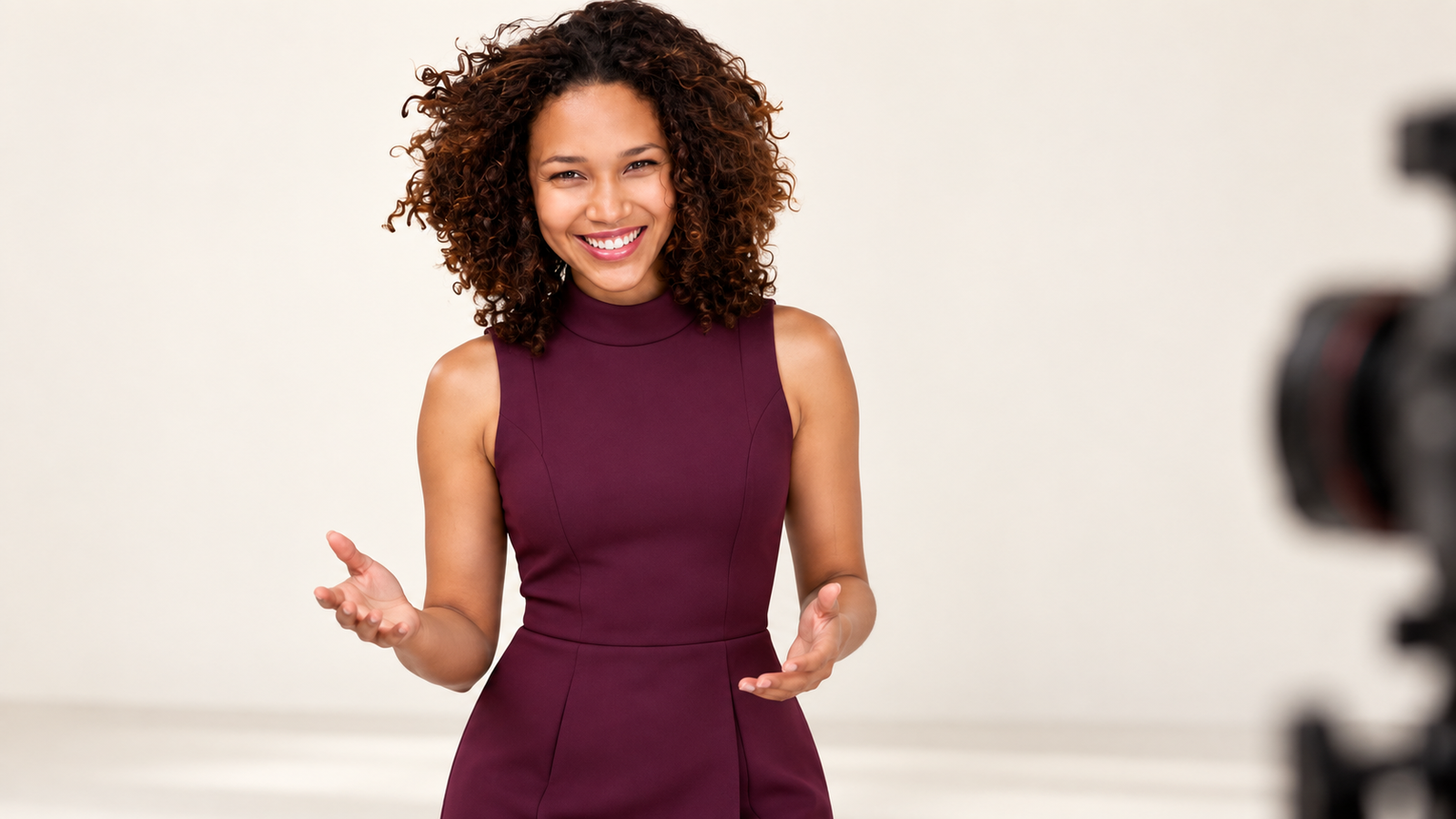
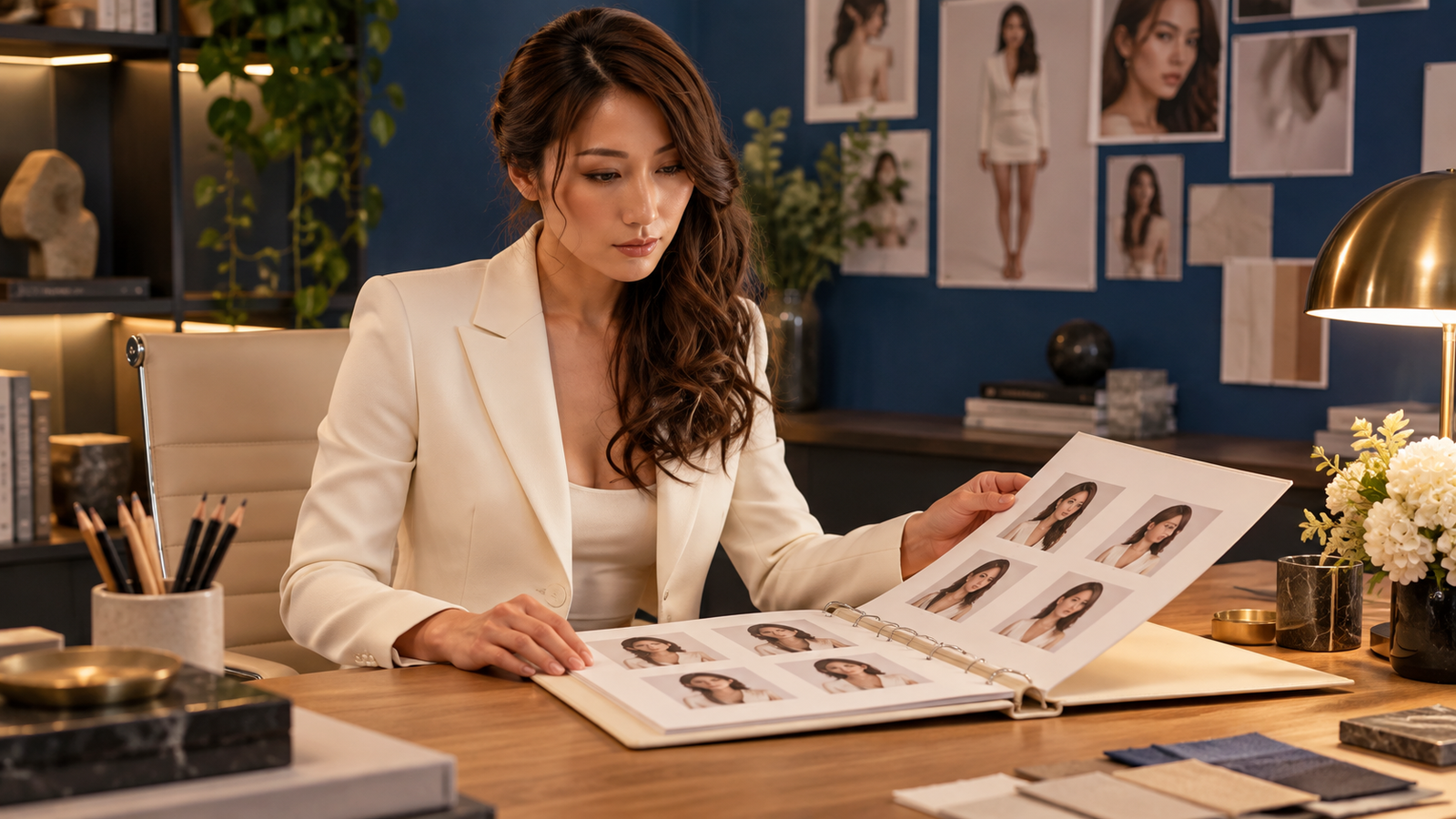
The editorial images illustrate the ideas. The HeyGen screenshot documents the settings. The rendered speaking clips show the output. Keeping those roles clear makes the experiment easier to assess.
What the experiment cost
We paid $29 for the monthly HeyGen Creator subscription used for this release. That is a subscription purchase, not a claim that this individual video cost $29 to render. HeyGen displayed the watermark-removal operation as free within the upgraded account.
The corrected test narration was quoted at 1.7 Higgsfield credits; the summary narration was quoted at 5.6 credits. These are recorded preflight quotes, not reconciled debits. We have not established a verified all-in per-video cost. Current offers and allowances are listed on HeyGen’s pricing page.
The reusable part is the record
Save the portrait, script, exact voice preset, source audio, settings, exports and review notes together. For Radio, the rule is simple: preserve Maeve, keep the delivery natural, and let the edit add variety. A recognizable character becomes useful when those choices survive the next production.
Lab update, September 24: three lip-sync engines, one character, and a best-of-both take
Update added September 24, 2026. Radio taught us to lock the voice before animating the face. For our next production, Peaches promoting the Fort Lauderdale Home Show, we ran a fair test. We used the same start frame, the same line and the same locked voice, and changed only the engine that makes her talk.
The fixed inputs
| Input | What we used |
|---|---|
| Character | Peaches, Zip AI’s home tech and robotics correspondent |
| Voice | Romy, a Higgsfield preset (text2speech v2, ElevenLabs). Peaches is always Romy; the voice is locked in our character bible. |
| Line | “I want a house that flirts back. Good lighting, fewer chores, and absolutely no app drama.” |
| Audio length | 8.5 seconds |
| Start frame | Peaches holding a tablet showing a “Dinner” scene, from our Home Show article |
| Output asked for | 9 seconds, 1080p, 16:9 |
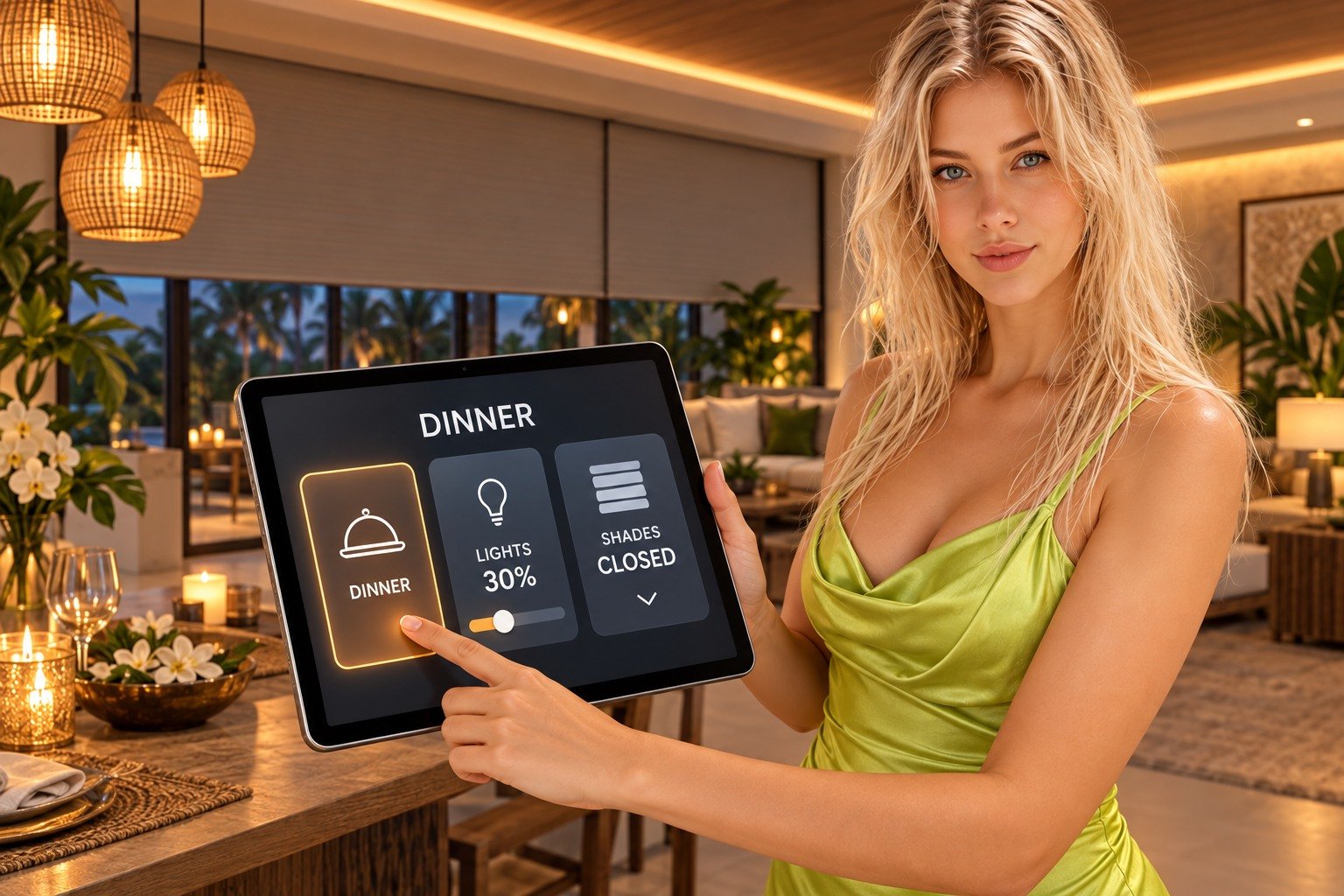
A · Seedance 2.0 (Higgsfield)
Settings: start image + audio reference, native audio off, 9 seconds, 1080p, 16:9.
Exact prompt: “Peaches, the blonde woman holding the tablet, looks straight into the camera and talks, her lips precisely synchronized to the supplied speech audio from the first word to the last: ‘I want a house that flirts back. Good lighting, fewer chores, and absolutely no app drama.’ Clear visible mouth movement on every word, natural pauses between sentences. Midway she taps DINNER on the tablet and the room lights dim to a warm amber glow. Keep her exact face, hair, lime dress and the room. Slow gentle push-in, natural blinks, playful smile. No text.”
What we saw: good lip sync, and the scene itself performs. The shades move behind her and the lighting changes, so the demo she’s describing actually happens. Her face stays Peaches throughout.

B · Wan 2.7 (Higgsfield)
Settings: start image + audio reference, 9 seconds, 1080p, 16:9 requested.
Exact prompt: “Photorealistic presenter shot, one continuous take. Preserve the supplied start image exactly: Peaches, the blonde woman in the lime satin dress holding a tablet in a warm living room. She looks into the lens and speaks, perfectly synchronizing her mouth to the supplied recording word for word: ‘I want a house that flirts back. Good lighting, fewer chores, and absolutely no app drama.’ Use the supplied audio unchanged; no new voice, no other dialogue, no music. Natural blinks, playful smile, a small tap on the tablet. Very gentle push-in. No scene cut, no morphing, no text.”
What we saw: good lip sync at about a quarter of Seedance’s price. The room stays mostly still. The file came back at 1764 × 1176 (3:2), not the 16:9 we asked for, so it needs a crop for a widescreen edit.
C · HeyGen Avatar IV
Settings: the start frame loaded as a new photo avatar (“Peaches — Zip AI”), Avatar IV, uploaded audio Peaches_Romy_LS1.mp3, Voice Mirroring off, landscape, 1080p. Output: 8.47 seconds, 1920 × 1080, 25 fps.
Exact prompt: none. HeyGen’s Avatar IV takes a photo and an audio track. There is no scene prompt, so you can’t ask the room to do anything.
What we saw: the most natural presenter of the three. Her head, shoulders and hands move like someone talking to a friend, and she taps the tablet on her own. The DINNER button even lights up under her finger. Her face holds. But the room stays exactly as the photo left it: no dimming lights, no moving shades. HeyGen animates the person, not the set.

Why HeyGen was the hardest to work with
HeyGen’s lip sync is strong. Getting a take out of it was not. Seedance and Wan each took one request, with the audio passed by link. HeyGen took an afternoon of clicking:
- Audio must come from your own disk. The web editor won’t take a link. We had to download the Romy file from Higgsfield to a computer, then upload it to HeyGen.
- The upload stalled silently. It sat on “Uploading…” with no error. The cause: the browser tab wasn’t in front, and Chrome holds back media in background tabs. Bring the HeyGen tab forward before you upload.
- The editor shows the wrong voice name. Even with our Romy file driving the video, the voice box still said “Keiko – Upbeat & Lively.” That’s the same trap that gave Radio the wrong voice. Trust the audio file you uploaded and listen to the output, not the label.
- Every new pose is a new avatar. A different start frame means building another photo avatar before you can render.
- No scene control. With no prompt, you can’t script the lights, the shades or a camera move.
The fix is HeyGen’s API, and we aren’t on it yet. Through the API you send a photo, an audio link and a few settings in one request. That removes the download, the stalled upload and the misleading label, and it lets the same automation that drives Seedance and Wan drive HeyGen too. The catch: the API is billed separately, pay-as-you-go, so the credits on our Creator plan don’t carry over. At the time of writing, HeyGen lists Avatar IV from a photo avatar at $2.31 per minute through the API, which puts a 9-second line at roughly 35 cents (HeyGen API pricing). Setting it up means creating an API key and adding a balance in the HeyGen account. That’s our next step before we use HeyGen at volume.
D · Best of both: HeyGen’s performance, Seedance 2.5’s set
Seedance gave us a room that acts. HeyGen gave us a presenter who acts. So we fed both into one take. Seedance 2.5 accepts a video as a reference, so we handed it the HeyGen clip for Peaches’ performance, the same start frame for her face and the same Romy file for the lip sync. Then we wrote the whole smart-home moment into the prompt, including a beat that wasn’t in any earlier take: after the room goes dark, she brings the lights back up to 50%.
Settings: Seedance 2.5, omni-reference mode. Inputs: start image, the HeyGen Avatar IV clip as a video reference, the Romy recording as an audio reference. Native audio off, 12 seconds, 1080p, 16:9.
Exact prompt: “One continuous photorealistic take in the living room from the start image. Peaches, the blonde woman in the lime satin dress holding the tablet, keeps her exact face, hair, dress and room. Copy her natural presenter performance from the reference video: head tilts, shoulder movement, hand gestures and mouth shapes. Do NOT copy the reference video’s static lighting. Her lips are precisely synchronized to the supplied speech audio, word for word: ‘I want a house that flirts back. Good lighting, fewer chores, and absolutely no app drama.’ Timeline: 0-1s she looks into the lens and starts talking, then taps the glowing DINNER button on the tablet. 1-6s while she talks, the room reacts: the pendant lamps and ceiling cove lights fade down slowly, and the motorized shades glide down over the big windows, hiding the palm trees. By 6s the room is dark and moody, lit by candles and the tablet glow on her face. 6-8.5s she finishes the line with a playful smile. 8.5-12s she stops talking, mouth closed, drags the LIGHTS slider on the tablet up to 50 percent, and the pendant lamps and cove lights brighten smoothly to a warm, soft medium glow; she looks back into the lens, pleased. Locked tripod framing with a very slow gentle push-in, natural blinks. No cuts, no morphing, no extra people, no text or captions.”
What we saw: the room finally follows the script. She taps DINNER, the lights sink, the shades come down over the windows, and by the end of her line the room is candlelit. Then she works the tablet and the lamps come back up to a warm glow. Her face and dress hold for all 12 seconds. This is the take we’re building the Home Show video around.

The recipe, if you want to try it: make the voice once in your locked preset. Render a quick talking-head take in a presenter tool for the performance. Then give a scene model that accepts video references the start frame, that take and the audio, and describe the timeline second by second. One model animates the person, the other animates the world, and your voice file stays the same throughout.
What it cost
| Item | Engine | Credits | Per second |
|---|---|---|---|
| Romy voice line (one of two recorded) | Higgsfield text2speech v2 | 0.3 | — |
| A · 9-second take | Seedance 2.0, 1080p | 99 | 11 |
| B · 9-second take | Wan 2.7, 1080p | 22.5 | 2.5 |
| Wasted first attempt (see below) | Seedance 2.0, 6 seconds | 66 | 11 |
| C · 8.5-second take | HeyGen Avatar IV, 1080p (Creator plan) | 3 HeyGen credits | — |
| D · 12-second best-of-both take | Seedance 2.5, 1080p, video + audio reference | 144 | 12 |
| Total | 332.1 Higgsfield credits + 3 HeyGen credits |
These are the debits recorded in each account’s usage history, not quotes. Higgsfield and HeyGen credits are different currencies, so don’t compare the numbers directly. The HeyGen take used 3 credits on the $29-a-month Creator plan. Prices change; check each platform before you budget.
Side by side
| A · Seedance 2.0 | B · Wan 2.7 | C · HeyGen Avatar IV | D · Best of both (Seedance 2.5) | |
|---|---|---|---|---|
| Lip sync | Good | Good | Very good | Good |
| Body and expression | Natural | Subtle | Most lifelike | Natural, borrowed from C |
| Room reacts to the script | Yes: lights dim, shades move | Mostly still | No: set is frozen | Yes: full dim, shades down, lights back to 50% |
| Scene prompt | Yes | Yes | No | Yes, second by second |
| Voice in the output file | No, added afterward | Yes | Yes | No, added afterward |
| Output | 1080p, 16:9, 9s | 1764 × 1176 (3:2), 9s | 1920 × 1080, 16:9, 8.5s | 1920 × 1080, 16:9, 12s |
| Cost for this take | 99 Higgsfield credits | 22.5 Higgsfield credits | 3 HeyGen credits | 144 Higgsfield credits (plus C as input) |
| Effort without an API | One request | One request | Download, upload, new avatar, manual render | HeyGen take first, then one request |
Three lessons worth stealing
- Measure the audio before you set the clip length. Our first Seedance run was 6 seconds for an 8.5-second line. It cut Peaches off mid-sentence and wasted 66 credits.
- Know which engines output the voice. Seedance used the audio to shape the mouth but returned a silent file. Wan returned the voice attached. Either way, the voice is ours, generated once in the locked preset.
- Pick on the whole shot, not just the mouth. All three lip syncs passed. Seedance won because the room acted too: shades moving, lights dimming, on cue. HeyGen gave the most human performance but a frozen set. Wan is the budget choice when the background doesn’t need to move.
Our call for the Home Show video: the best-of-both take (D) opens the video. It’s the only one where Peaches and her house both perform. We’ll use the same recipe for her second on-camera line. Seedance 2.0 alone is the faster, cheaper option when the room only needs a small change. HeyGen is the pick for straight-to-camera presenter shots once we connect its API. Wan 2.7 stays on the bench for cheap static talking shots.
The first cut: Peaches’ Home Show promo
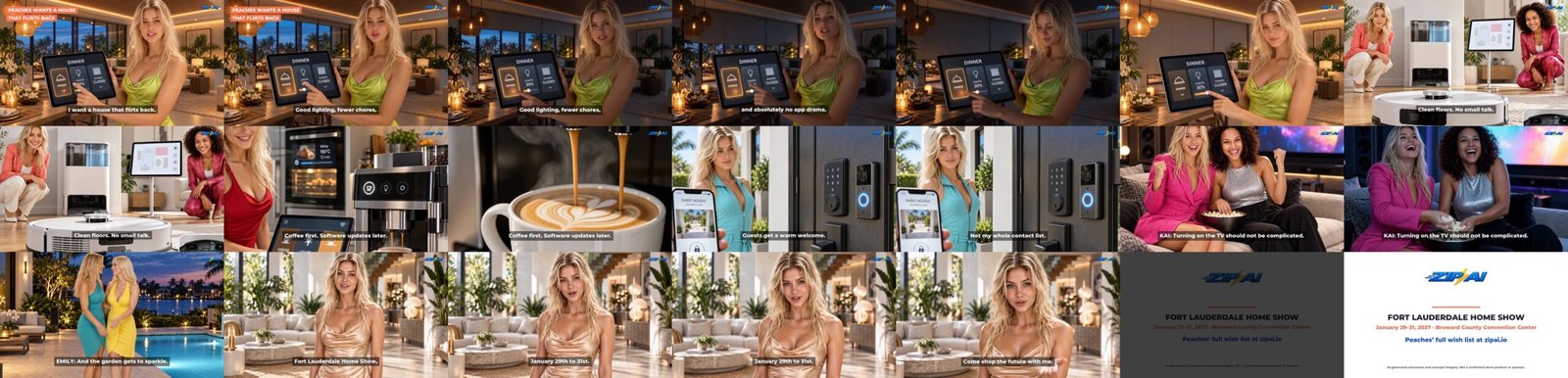
Here’s where the lab work lands. The best-of-both take opens a 41-second horizontal promo for the Fort Lauderdale Home Show. It’s the first cut. We’ll make the vertical Reels and TikTok versions from it next.
| Time | Shot | How it was made | Voice |
|---|---|---|---|
| 0:00–0:12 | Peaches taps DINNER, the room dims, she brings the lights back up | Take D above (Seedance 2.5, HeyGen performance as reference) | Peaches on camera, Romy |
| 0:12–0:15 | Robot vacuum clears the crumbs | Seedance 2.0 from the article still, 4 s | Peaches voice-over: “Clean floors. No small talk.” |
| 0:15–0:19 | Espresso pours | Seedance 2.0, 4 s | Peaches: “Coffee first. Software updates later.” |
| 0:19–0:24 | Smart lock and doorbell | Seedance 2.0, 4 s, slowed slightly to fit the line | Peaches: “Guests get a warm welcome. Not my whole contact list.” |
| 0:24–0:27 | Movie night, popcorn flies | Seedance 2.0, 4 s | Kai (Petra): “Turning on the TV should not be complicated.” |
| 0:27–0:30 | Patio lights at dusk | Seedance 2.0, 4 s | Emily (Faye): “And the garden gets to sparkle.” |
| 0:30–0:38 | Peaches’ invitation | New start frame (GPT Image 2.5), then Seedance 2.0 lip sync, 9 s | Peaches on camera: “Fort Lauderdale Home Show, January twenty-ninth to thirty-first. Come shop the future with me.” |
| 0:38–0:41 | End card | Built in the edit | Music only |
The edit: ffmpeg in Higgsfield’s cloud sandbox. Captions burned in for sound-off viewing. The background track is an original instrumental from Higgsfield’s Sonilo music model, ducked under every line. Seedance returned the animated stills at 4:3, so we cropped each one to 16:9 and picked the crop by hand to keep the faces in frame.
What the cut cost: about 323 Higgsfield credits on top of the lab takes. That’s 220 for the five 4-second B-roll clips (44 each), 99 for the 9-second closing lip sync, 1.5 for five voice lines, about 2 for the music and 0.25 for the new start frame. The 12-second opener is take D, already counted above. The whole promo, opener included, came to about 467 credits. Nothing was re-rolled. Every clip is the first take.
Next: Bella tells the whole story in a 108-second episode: How We Made Peaches Talk.
Disclosure: Radio, Kai, Bella, Emily and Peaches are AI-generated characters. The home technology shown is concept imagery, not confirmed Home Show products or sponsors. Narration is synthetic; editorial oversight is human. This is an independent Zip AI experiment, with no sponsorship implied.