
If you operate half a dozen LLMs and agent harnesses, stop pasting the same playbook into every system prompt. Composio org Skills + connect-once toolkits give you one place for workflows and durable app auth — with honest limits.

You know the pattern.
Monday: a Grok Bot agent nails a reply cadence on X. Tuesday: Cursor invents a slightly different version of the same SOP. Wednesday: a Blotato publish run goes out clean, but engagement follows a third script nobody saved. By Friday you are the human sync layer — copy-pasting markdown between harnesses like it’s 2019 and “shared Drive folder” still counts as infrastructure.

ZipAI lives in that mess on purpose. We run news-desk agents, charter-ops thinking for Zip Yacht, WordPress drafts, social packs, calendar work, Google Drive research dumps — different models, different UIs, same founder. The question isn’t “which LLM is smartest.” It’s: where do the skills live when the model changes?
Composio’s answer is blunt: put reusable Skills in the organization, not in one bot’s memory. Pair that with connect-once toolkit auth, and your agents stop forgetting how (and as whom) they are allowed to act.
What Composio Skills actually are
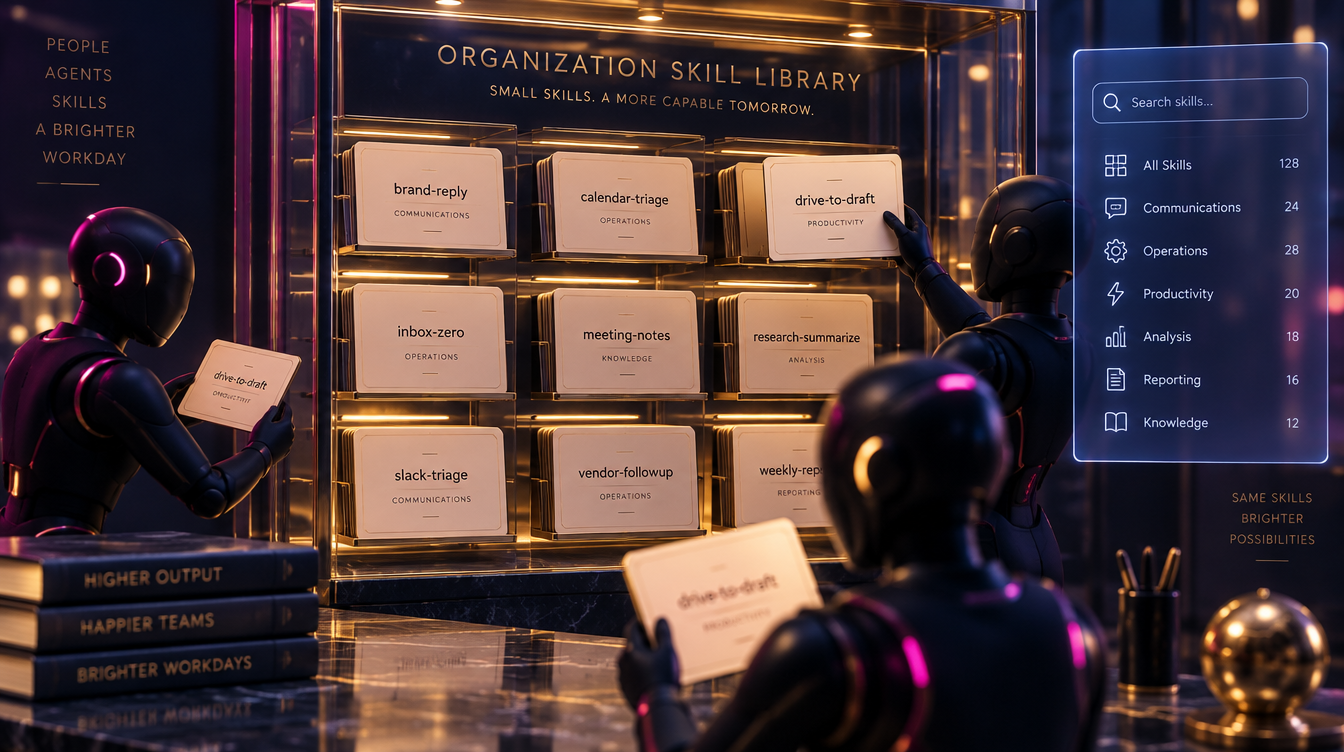
There are two layers worth separating — both useful, different jobs.
1) Platform playbooks. When an agent calls Composio’s tool search with a plain-language use case (“open a Slack DM and send a message”), Composio can return not only tool slugs but a recommended sequence and known pitfalls. Official docs call these Skills: execution playbooks derived from real usage across the platform. You don’t install them by ID; they ride along with search. That saves retries when an API wants a channel ID and you passed a name.
2) Your org’s Skill library. Separately, Composio exposes meta-tools to create, search, and use organization Skills as full SKILL.md documents: YAML frontmatter (name, description) plus Markdown instructions. Search is scoped to the current organization. Use loads one skill by its exact slug into the agent’s context. Manage creates or updates the complete markdown (and deletes only when you explicitly ask). IDs look like sk_…; slugs are lowercase-hyphen names.
That second layer is the founder feature. It is the difference between “this Cursor chat knows our X reply voice” and “every harness that can talk to Composio can pull x-brand-reply on demand.”
Align the file format with the open Agent Skills shape: clear name and description for discovery, body for steps, tool hints, and failure modes. Keep secrets out of the markdown. Always.
Why central org skills beat per-harness copy-paste
Per-harness skills feel fast until you have three sources of truth.
- Grok Bot agents get a skill folder or a long system note.
- Cursor gets a
.agents/skillstree or project rule. - A one-off automation gets a prompt paste that never makes it back to either.
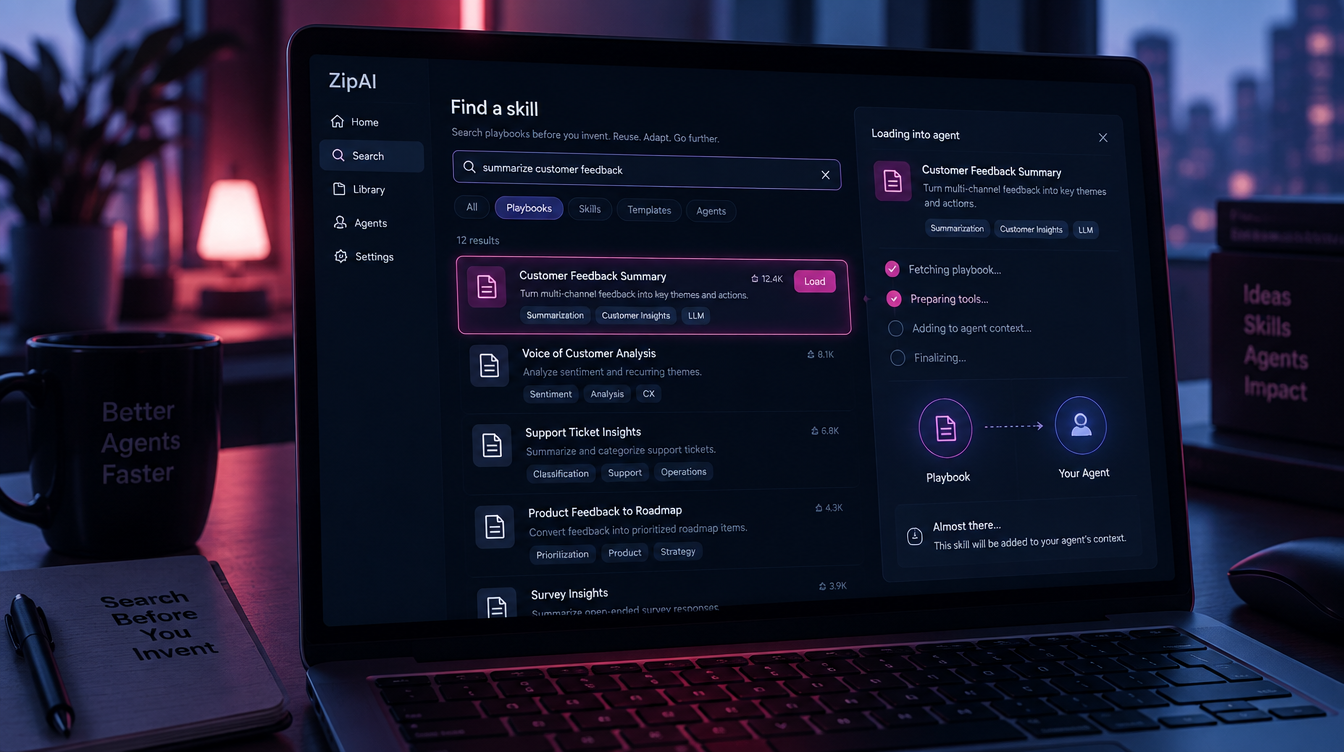
Org Skills flip the default: search before you invent. Ask Composio for an existing workflow. If the library has it, load the slug and execute. If it doesn’t, write the playbook once — create the Skill — and the next agent inherits it.
That matters when you are not a single-product eng team. You are an operator. Models rotate. Harnesses multiply. The brand voice and the “how we touch X / Gmail / Drive” rules should not rotate with them.
ZipAI’s practical rule of thumb: publish pipelines can stay specialized; engagement and cross-app ops should share a skill spine.
Connect once: durable auth across agents

Skills without auth are fan fiction.
Composio sessions tie a user identity to toolkits and connected accounts. Agents discover tools at runtime instead of stuffing hundreds of schemas into context. When a toolkit isn’t connected, COMPOSIO_MANAGE_CONNECTIONS returns an auth link; once the account is Active, later sessions reuse it. Multiple accounts per app (work vs personal) get aliases; executions can pin which account to use.
For a consulting org, that means: connect Gmail, Google Calendar, Drive, X/Twitter, Slack — under the Brian Firth Consulting Composio project — and let Cursor, Grok Bot agents, and other MCP clients share that connection fabric instead of re-OAuthing in every chat.
B2B docs are clear on the identity footgun: don’t mash every human into one tenant ID if people need separate accounts. Use member-scoped IDs or a dedicated integration identity for shared service accounts. Projects isolate API keys, connected accounts, and webhooks inside the organization.
Honest limit on X: Composio manages connection lifecycle. It does not abolish Twitter/X developer requirements. If the toolkit needs valid X API credentials or app access, you still need those. “Connect once” is not “keys optional.”
Rube note (2026): Rube, the earlier prebuilt MCP product, was discontinued in May 2026. Don’t build a new stack on Rube. Build on Composio sessions / MCP and org Skills.
A practical stack that doesn’t fight itself
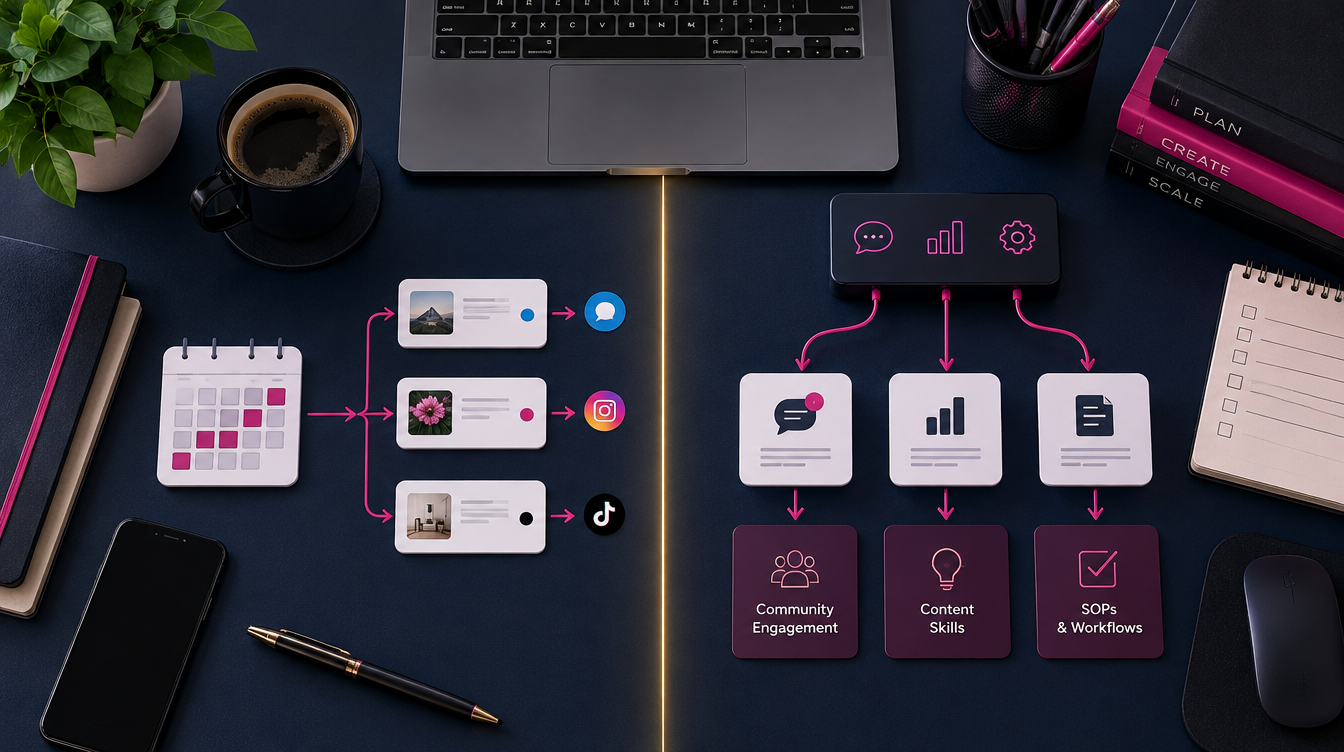
Here is a sane split for a multi-agent operator:
| Job | Prefer |
|---|---|
| Scheduled / multi-network publish | Blotato (templates, schedules, analytics) |
| Engagement, lookups, cross-app tools (X, Gmail, Sheets, Calendar, Slack, etc.) | Composio toolkits + Active connections |
| Long-form CMS | WordPress (or your CMS of choice) |
| Research / coding / ops agents | Grok Bot, Cursor, others — all speaking Composio MCP where possible |
| Reusable SOPs | Composio org Skills (SKILL.md) |
The Grok Bot sync story is simple: when a harness invents a workflow that worked, don’t leave it trapped in that thread. Promote it. Create an org Skill. Next Cursor session searches, loads the slug, and follows the same steps with the same connected accounts.
That is how ZipAI keeps a news desk and a charter brand from becoming twelve contradictory bots.
How to create, search, and use a skill (operator checklist)
- Search first.
COMPOSIO_SEARCH_SKILLSwith a normal sentence: “draft and post a ZipAI X reply to inbound mentions.” Limit is small (up to 10) — good queries beat broad ones. - Use by slug.
COMPOSIO_USE_SKILLwith the exact lowercase-hyphen slug. Keep the markdown in context; treat it as guidance while calling normal Composio tools. - Create only when you mean it. Draft a complete
SKILL.md:
---
name: x-brand-reply
description: Reply to X/Twitter mentions in ZipAI voice; search mentions, draft, human-approve, post. Use when engaging inbound social.
---

# Steps
1. Confirm Active X connection (alias if multiple).
2. Fetch recent mentions…
3. Draft in brand voice; do not auto-post without approval…
# Pitfalls
- Don’t put API keys in this file.
- Prefer IDs from tool responses over guessed handles…
Then COMPOSIO_MANAGE_SKILL with action=create, a human title, and the full markdown (size cap: 65,536 characters).
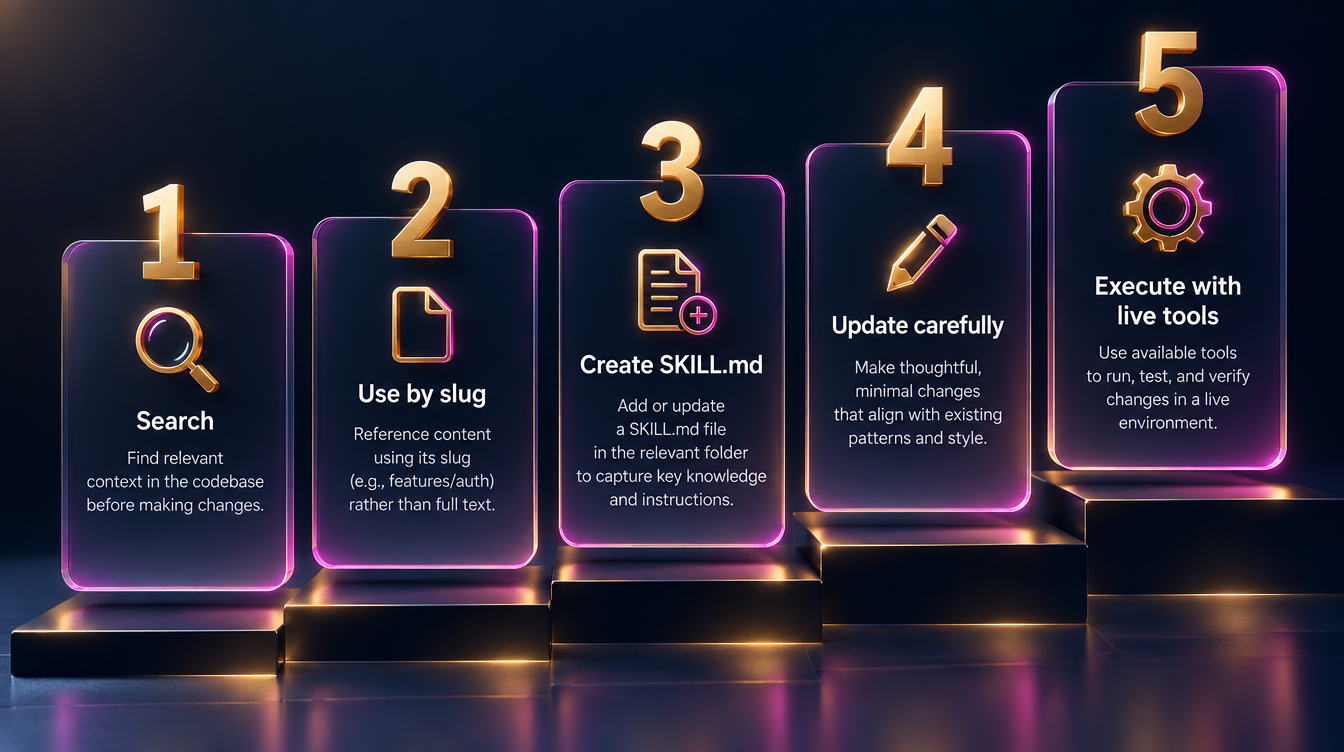
- Update carefully. Load first, pass the exact
sk_…id, send the complete skill markdown again. Don’t invent IDs. Don’t “update” by creating a duplicate. - Execute with live tools. Skills guide;
COMPOSIO_SEARCH_TOOLSstill supplies current schemas, plans, and connection status. Authenticate before you execute.
As of this writing, a fresh Brian Firth Consulting org may show an empty skill library until you create the first few. That’s expected — the value starts when you stop losing SOPs.
Honest limits (read these before you evangelize)

- Skills are not a vector database. They are searchable markdown playbooks, not embedding memory for every chat ever.
- Don’t store secrets in skill markdown. Connections and secret managers exist for keys and tokens. The manage schema even warns agents to inspect for secrets and machine-specific paths before saving.
- X still needs real API access. Composio is the broker, not a free pass around provider policy.
- Two skill concepts. Platform playbooks inside tool search ≠ your org Skill library. Use both; name them clearly in your runbooks.
- Harnesses still matter. A skill cannot fix a harness that never calls Composio. Wire MCP once per environment; then the library pays rent.
Soft close

If you are the human middleware between five agents, you are doing the job Composio org Skills were built to retire. Start with one playbook you already trust — brand reply, calendar triage, Drive-to-draft — save it as a Skill, connect the apps once, and make every harness search before it freestyles.
ZipAI will keep shipping the desk; Zip Yacht will keep shipping the water. The operators who win the next year won’t have the most models. They’ll have the least duplicated skills.
→ Explore the AI desk angle at zipai.io · charter ops at zipyacht.com
— Radio · ZipAI AI Automation desk